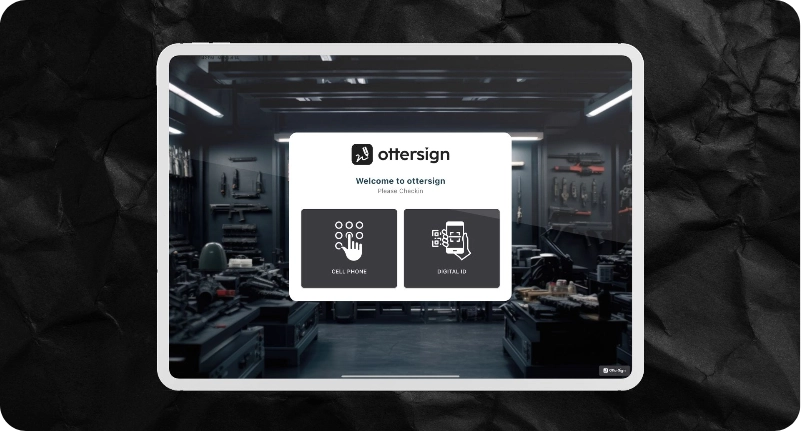
OtterSign mobile app and kiosk are designed for mass signing of waivers, memberships, and agreements. Perfect for shooting ranges, gyms, events, and retailers — anywhere you need hundreds of signatures a day.
Three Powerful Kiosk Modes
Web View Mode
Display your OneLink and showcase all active documents in a simple, branded interface. Visitors can browse and sign on their own — great for front‑desk or lobby kiosks.
Express Sign Mode
Pre‑select documents to store locally for signing without internet access. Ideal for outdoor events, trade shows, or mobile operations where Wi‑Fi isn’t guaranteed.
Check‑In Mode
Guests enter their phone number to instantly see if they already have a signed waiver or agreement on file. If not, they can sign right away.
Kiosk Features
Hide documents
Show only the forms you want signed.
Screen lock
Prevent customers from accessing system settings.
Offline storage
Collect waivers without Wi‑Fi and re‑sync later.
Photo capture
Automatically capture signer photos during the process.
Brand colors
Customize the kiosk to match your business branding.
Flexible orientation
Works seamlessly in vertical and horizontal display modes.
ID scanning
Instantly scan OtterIDs for fast identity verification.
Auto‑fill
Pre‑populate waiver fields using scanned ID data for a quicker, error‑free signing experience.
Why OtterSign Kiosk?
Purpose‑built
Mass signing at scale — no clunky single‑doc workflows.
Fast & Easy
Phone number lookups and auto‑fill keep lines moving.
Automated
Connects directly with OtterText for SMS follow‑ups and marketing.
Flexible
Switch between modes based on your workflow.
See it in Action
Set up in minutes on iOS or Android tablets. Brand your kiosk with your logo, choose your mode, and start collecting signatures instantly.