ou have 22 people booked for Saturday. It is Friday afternoon and you have no idea how many of them have signed their waiver. You sent the link in the booking confirmation. You sent a reminder three days ago. Beyond that, you are guessing.
You could send another group email and hope the right people see it. You could wait until Saturday morning and deal with whoever shows up unsigned at the door. Or you could open a dashboard, see exactly which three people still have not signed, send them a targeted reminder in 45 seconds, and move on with your day.
That is what Trip Manifest does. Here is how it works.
The Problem It Solves
Most activity-based businesses manage group waiver collection the same way: a booking confirmation goes out with a waiver link, a follow-up email goes to the group a few days before the activity, and then everyone waits to see what happens on the day.
The result is predictable. Some participants sign right away. A few sign the day before. Two or three show up on the morning of the activity with nothing signed, and now staff are scrambling to collect waivers while the rest of the group waits.
For operators running multiple trips per week, this problem compounds. Tracking signing status across five concurrent bookings through a combination of email threads, spreadsheets, and manual check-ins is a part-time job. It is also reactive by nature — you find out about missing waivers when people are already standing in front of you.
Trip Manifest flips this. Instead of discovering gaps at check-in, you close them before anyone leaves home.
What Trip Manifest Is
Trip Manifest is OtterSign’s group management tool. It gives operators a single place to create a scheduled activity, build or import a participant roster, assign the required documents, and track signing status for every individual in the group — all in real time.
The dashboard shows each participant’s waiver status, invite status, and record match confidence at a glance. A progress indicator shows the group’s overall completion percentage so you know where you stand at any moment between booking and activity day.
Everything runs inside OtterSign. There is no separate tool to learn, no spreadsheet to maintain alongside your booking system, and no manual cross-referencing to figure out who has signed and who has not. Visit ottersign.com/group-management to see the full feature overview.

Step 1: Create a Trip
Setting up a trip takes under a minute. Enter the trip name, date, start time, and location. Then select the required documents from your existing OtterSign document library.
A single trip can require multiple documents. If your zip line operation requires both an activity waiver and a photo release, assign both. Every participant in the roster needs to complete all required documents before their status shows as fully signed. Partial completion is flagged separately so nothing slips through.
Because trips connect directly to your document library, you are always assigning the current version of each document. There is no risk of a participant signing an outdated waiver because someone forgot to update a link.
Step 2: Import Your Roster
Once the trip is created, add your participants. Trip Manifest supports two import methods depending on what you have available.
Upload a CSV file exported from your booking system, registration platform, or spreadsheet. Trip Manifest maps your columns automatically and matches each participant against existing records in your OtterSign account. If a participant has signed a waiver with you before, the system recognizes them and links the new trip to their existing record.
Alternatively, paste participant data directly if a CSV is not available. This works well for smaller groups, last-minute additions, or situations where the booking came in by phone rather than through an online system.
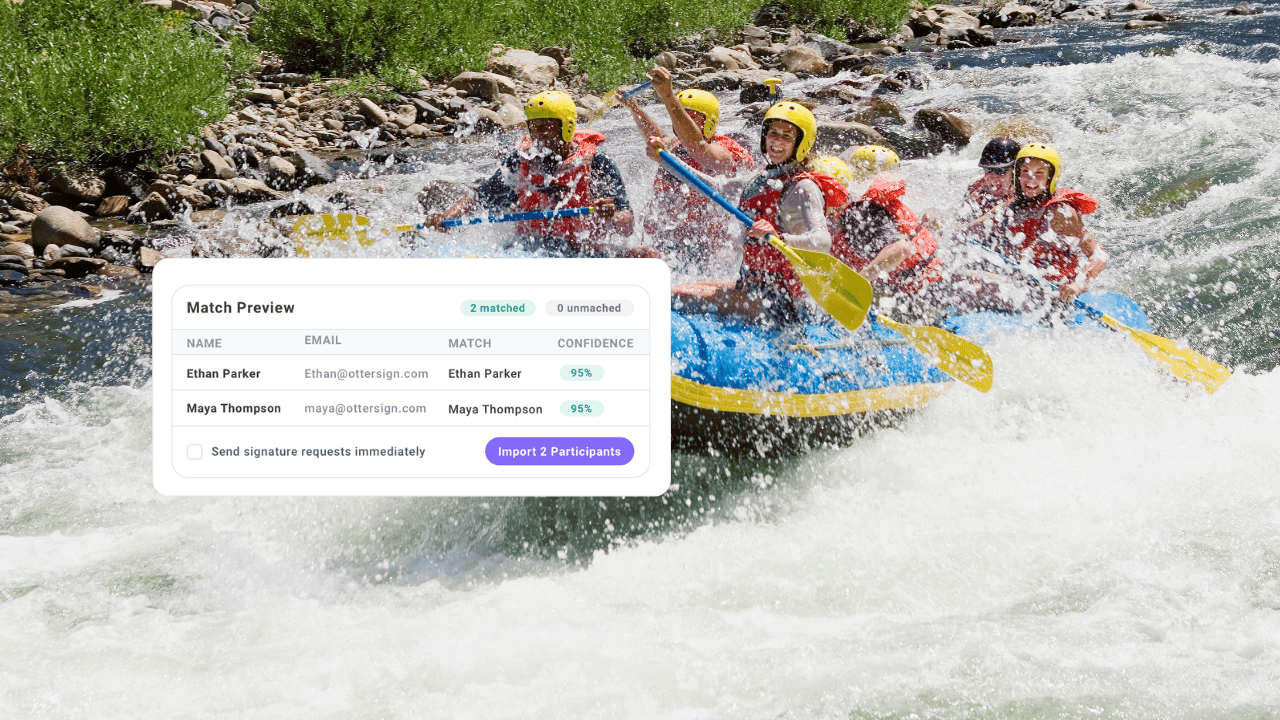
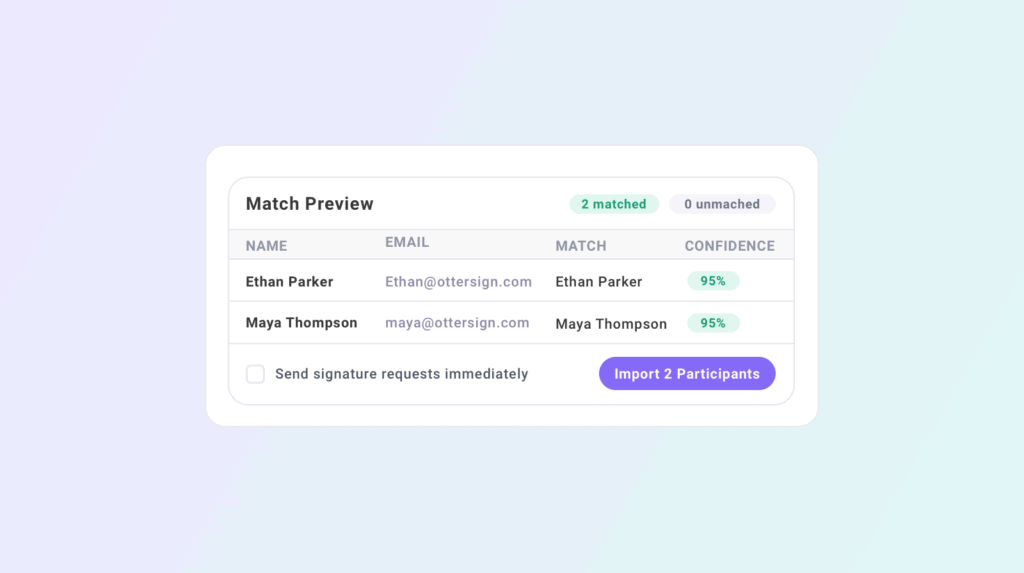
Either way, Trip Manifest shows a match preview before the import is confirmed. Each matched record displays a confidence score so you can see exactly how the system identified the participant and flag any uncertain matches for review before they go into the roster. Once you confirm the import, signature requests can go out to all participants immediately or be held until you are ready.
Step 3: Track Signing Status in Real Time
After the roster is imported, the trip dashboard becomes your command center for the activity.
Each participant row shows four data points: waiver status, invite status, record match, and confidence score. Waiver status shows signed, pending, or missing. Invite status shows whether the signing request has been sent and whether it has been acted on. The overall group progress bar shows the completion percentage across all required documents so you can see at a glance how close you are to a fully signed group.
When you spot participants with a pending or missing status, you do not have to email the whole group again. Send a targeted reminder to only the people who have not signed, directly from the dashboard. They receive an SMS or email with a direct signing link. As they sign, the dashboard updates in real time.
For groups that are largely signed with one or two holdouts, this targeted reminder capability is one of the most practical time-savers Trip Manifest offers. Instead of a group message that everyone ignores because most people already signed, the right people get a direct nudge and the operator moves on.
Day-Of Check-In
On the day of the activity, Trip Manifest becomes the check-in tool. Staff open the dashboard and use it to confirm arrivals as participants show up. Each participant’s signing status is visible immediately, so staff know who is cleared to participate and who still needs a document before they can join the group.
For participants who arrive unsigned, staff can send a waiver link directly to their phone on the spot. The participant signs from their device, the dashboard updates, and check-in continues without holding up the rest of the group.
This real-time visibility is especially valuable for high-volume days when multiple trips are running concurrently. Each trip has its own dashboard. Staff assigned to a specific trip see only what they need to see. There is no confusion about which roster belongs to which group.
Who Trip Manifest Is Built For
Trip Manifest works for any operator that runs scheduled activities with groups of participants who need to sign before they participate. That covers a wide range of businesses.
Outfitters and guides use it to manage pre-trip signing for rafting, fishing, hiking, and multi-day excursions. Zip line and ropes course operators use it to track signing status for back-to-back group bookings throughout the day. Summer camps use it to manage pre-season waiver collection across hundreds of campers before opening day.
Race directors and event operators use it to track participant waivers for large-scale events where individual follow-up is not practical. Schools and educational programs use it to manage field trip consent forms and activity releases before departure. Martial arts studios, rock climbing gyms, scuba operators, skydiving centers, and conference organizers all run group activities where knowing who has signed before the activity starts directly affects how smoothly the day goes.
If you have a scheduled activity and a list of people who need to sign before they participate, Trip Manifest handles the tracking.
Getting Started
Trip Manifest is included with OtterSign. There is no separate subscription or add-on required. Create your first trip, import a roster from your next group booking, and you will have a real-time view of your group’s signing status within a few minutes.
For operators currently managing group waivers through email threads and spreadsheets, the shift is immediate. The information you were chasing manually is now in a dashboard that updates itself.
See everything Trip Manifest includes at ottersign.com/group-management.
Ready to stop guessing and start knowing? Start your free trial or book a 15-minute demo to see Trip Manifest in action for your specific operation.