TITLE: How to Send Waivers by Text Message: The Complete SMS Waiver Delivery Guide
SLUG: /blog/send-waivers-by-text-message/
META TITLE: How to Send Waivers by Text Message: SMS Waiver Delivery Guide
META DESCRIPTION: Learn three ways OtterSign sends waivers by text — booking integrations, direct SMS delivery, and transactional automation. Faster check-in starts before the customer arrives.
PRIMARY KEYWORD: send waiver by text message
SECONDARY KEYWORDS: SMS waiver delivery, text message waiver, waiver by text, digital waiver SMS, pre-visit waiver text
IMAGE PROMPT: A close-up of a hand holding a smartphone displaying a clean SMS message with a waiver signing link. The background is an outdoor tour or activity setting — bright, sunny, energetic. A tour boat or adventure activity is softly visible behind. High-end commercial photography style, shallow depth of field, warm natural lighting, English text only on screen. –ar 16:9 –style raw –no text errors, no foreign language, no blurry foreground
READ TIME: 9 min read
PUBLISH DATE: Tuesday, April 21, 2026 at 9:00 AM MST
How to Send Waivers by Text Message: The Complete SMS Waiver Delivery Guide
Email open rates sit around 21%. SMS open rates sit around 98%, and most people read a text within three minutes of receiving it. If your business still sends waivers by email — or handles them entirely at the front desk — you are using the least effective delivery channel available and creating unnecessary friction at the start of every customer experience.
Sending waivers by text message solves a problem most businesses don’t fully appreciate until they see the check-in difference. When customers arrive with their waiver already signed, the front desk interaction shrinks from a paperwork session to a quick greeting. Lines move faster, staff spend less time on administration, and customers form their first impression of your business around a smooth, professional experience rather than a clipboard and a pen.
OtterSign gives businesses three distinct ways to send waivers by text message — each designed for a different workflow. This guide covers all three, explains when to use each one, and walks through how to set them up inside the platform.
Why SMS Outperforms Every Other Waiver Delivery Channel
The core problem with email waiver delivery is timing and attention. A booking confirmation email that includes a waiver link competes with dozens of other emails in the customer’s inbox. Even customers who intend to sign often forget. As a result, the waiver ends up getting handled at the front desk anyway — defeating the purpose of sending it in advance.
SMS works differently. A text message arrives in a low-volume channel that most people check immediately. The signing link sits one tap away. No inbox to sort through, no spam filter to clear, and no competing content surrounds it. Additionally, the message arrives with the business name included, so the customer immediately understands who sent it and why.
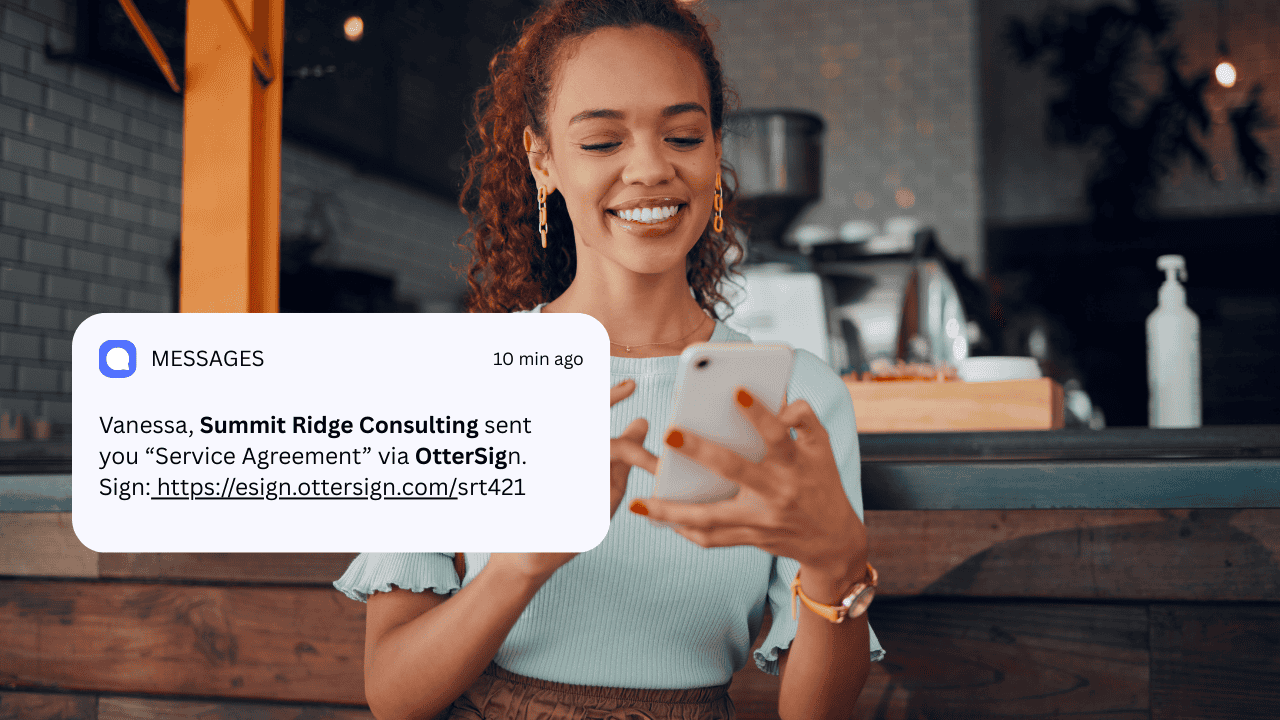
A customer receiving a pre-trip waiver from an activity company, for example, sees a message like: “Hi Faisal, please review and sign the document using the link below: [Link to sign].” It’s personal, direct, and actionable in seconds. Furthermore, pre-visit waiver completion via SMS directly improves operational efficiency — staff spend less time managing the check-in queue, customers arrive prepared, and the signed waiver already lives in the dashboard before the customer walks through the door.
The Three Ways OtterSign Sends Waivers by Text
Method 1: Booking Integration Triggers — Automatic Pre-Trip Waiver Delivery
The most powerful SMS delivery method OtterSign offers requires the least ongoing effort — automated pre-trip waiver delivery that booking software triggers automatically.
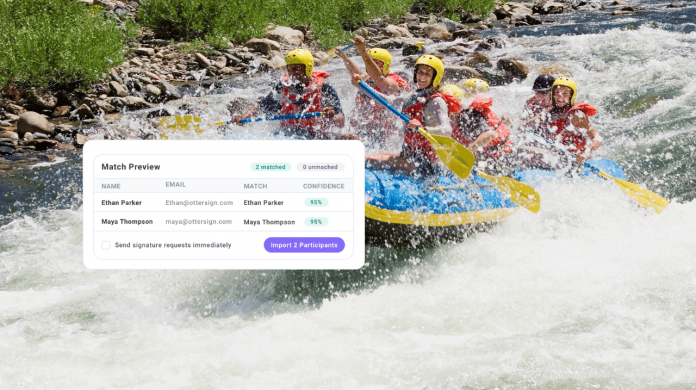
OtterSign integrates directly with Rezdy, FareHarbor, and TRYTN — three leading online booking platforms for tour and activity operators. When a customer completes a booking through any of these platforms, a webhook fires and OtterSign sends an SMS to the customer with their waiver signing link. No manual sending, no staff involvement, and no follow-up needed from your team.
The integration also tackles the most common waiver collection problem in the tour and activity industry — customers who receive the initial request but don’t sign right away. If 48 hours pass before a trip and the customer still hasn’t signed, OtterSign automatically sends a second SMS reminder. This two-touch sequence dramatically improves pre-trip completion rates. Consequently, far fewer customers arrive at check-in without a valid waiver on file.
To activate the integration, connect your booking platform in the Integrations section of your OtterSign dashboard. Next, select the waiver you want to attach to each trip type and turn on SMS delivery. Every new booking triggers the sequence automatically from that point forward.
Method 2: Direct SMS Delivery When Sending an Agreement
The second method applies when you need to send a document directly to a specific individual — a membership agreement, a personal training contract, a rental agreement, or any document that requires one person’s signature rather than a general check-in flow.
When you build a new document to send in OtterSign, the “Add Recipients” screen lets you enter the recipient’s name, email address, and phone number. Under the Delivery section, you can select Email, SMS, or both at the same time. Selecting SMS sends the signing link directly to the recipient’s phone as a text message — alongside the email notification or instead of it.
This method works especially well for businesses that need a signed document before an appointment, consultation, or service begins. Rather than waiting for the customer to check their email, the signing request arrives as a text that most people act on within minutes. Documents that previously sat unsigned for hours get completed before the customer arrives. This method works for every document type in OtterSign — waivers, contracts, membership agreements, intake forms, and more. The recipient receives a personalized message with their name and a direct signing link, and the completed document routes back to the dashboard automatically once signed.
Method 3: SMS Automation Built on Waiver and Document Data
The third method offers the most flexibility and unlocks the broadest range of use cases. Activating SMS inside the OtterSign dashboard lets businesses build transactional messages that trigger automatically based on waiver and document data.
This differs from the booking integration trigger and from manual document delivery. Instead, a rules-based automation engine fires SMS messages based on what happens with documents — when a waiver gets signed, when a document expires, when a customer reaches a milestone, or when a specific form field contains a particular value.
Consider a few practical examples. A range or studio can configure an automatic SMS confirmation that fires the moment a customer signs a waiver, giving them an instant record of completion. A membership business can trigger a renewal reminder SMS when a membership agreement reaches 30 days before expiration. A tour operator can send a pre-trip logistics text — meeting point, what to bring, weather updates — triggered by the same waiver signature that confirms enrollment.
Because these messages build on document data, they stay contextual and relevant to the specific transaction each customer completed. That relevance drives far better engagement than generic broadcast messages. To set up SMS automation, navigate to the SMS section of your OtterSign dashboard, activate the feature, and build your trigger rules. Each rule specifies the document, the trigger event, the timing, and the message content. Save once, and the automation runs on every matching document event going forward.
How the Three Methods Work Together
For most businesses, combining all three methods produces the strongest results.
A tour operator running on FareHarbor, for instance, uses Method 1 to send the pre-trip waiver request automatically at booking and again 48 hours before the trip if the customer hasn’t signed. Method 3 handles the post-signing confirmation and a pre-trip logistics text on the morning of the tour. Method 2 handles one-off document requests — a special event agreement or a custom contract for a private group booking.
Together, the three methods cover the full customer communication arc from booking to check-in. All three run automatically, and none require ongoing staff involvement. As a result, the operation runs smoothly whether the team actively manages it or not.
What About Advanced SMS Marketing?
The three methods above handle all transactional and document-triggered SMS messaging natively inside OtterSign. For businesses that want to go further — custom marketing campaigns, segmented promotional messages, advanced audience targeting, and email marketing — OtterText extends OtterSign’s capabilities into a full customer communication platform.
Certain industries subject to SHAFT regulations (Shooting, Hemp, Alcohol, Firearms, Tobacco) also have specific compliance requirements for SMS marketing. Promotional SMS for those industries needs to run through OtterText, which handles those compliance requirements correctly. For standard transactional waiver delivery and document-based automation, OtterSign’s native SMS covers everything in this guide.
The Stronger Legal Case for Pre-Visit SMS Signing
The operational argument for SMS waiver delivery is straightforward — fewer customers arriving unsigned means faster check-in and less administrative work. However, the business case extends further than efficiency.
Pre-visit waiver completion via SMS also strengthens the legal record. A customer who signs at leisure, before arriving, with no time pressure and no line behind them, produces a stronger informed consent record than one who signs hurriedly at a kiosk with six people waiting. The customer had time to read the document, understood what they agreed to, and signed deliberately. That kind of consent record holds up far better when a waiver faces a legal challenge.
Additionally, the post-visit automation that turns signed waivers into Google review requests, win-back offers, and rebooking reminders — covered in detail in How to Turn Every Signed Waiver Into a 5-Star Google Review — runs on the same customer contact data captured at signing. Every SMS delivery that captures a phone number adds another customer to that automation sequence. The more consistently a business collects waivers via SMS, the more effectively the post-visit automation performs.
Setting Up SMS Delivery: What It Takes
Activating SMS delivery in OtterSign requires no separate SMS platform, no short code application, and no technical configuration outside the dashboard. For booking integration triggers, connect Rezdy, FareHarbor, or TRYTN in the Integrations section and select your documents. For direct SMS delivery on individual agreements, a checkbox on the recipient screen handles it — no additional setup required. For SMS automation, navigate to the SMS section of the dashboard, activate the feature, and build the trigger rules.
Most businesses complete the full setup across all three methods in under an hour. The 14-day free trial includes 100 free credits to test every delivery method before committing.
The Bottom Line
Sending waivers by text message ranks as the single most effective way to improve pre-visit waiver completion rates. OtterSign gives businesses three distinct methods to do it — each suited to a different workflow. Booking integration triggers handle the tour and activity use case automatically. Direct SMS delivery handles individual document requests in seconds. SMS automation handles everything in between, triggered by the document events that already happen in the business every day.
The result is a check-in operation where most customers arrive already signed, staff spend less time on paperwork, and every signed document feeds the post-visit automation that drives reviews and return visits. It starts with a text message. Everything else follows from there.
Start your free 14-day trial today — includes 100 free credits to test SMS delivery across all three methods.
👉 Start Your Free Trial | Book a 15-Minute Demo | Try a Live Waiver Demo
Related reading: How to Turn Every Waiver Into a Google Review | How to Set Up an iPad Waiver Kiosk | OtterText Advanced Marketing | OtterSign Pricing