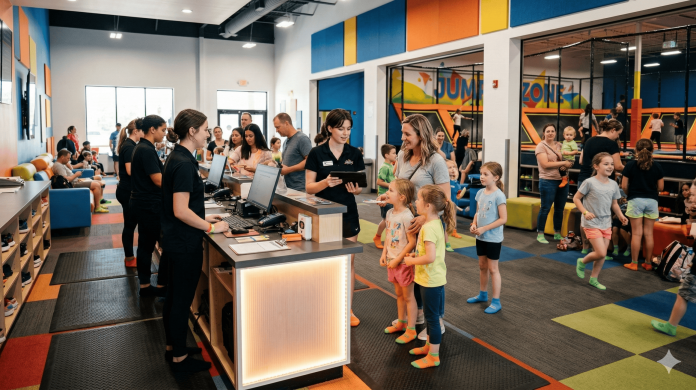
Picture your busiest Saturday morning. A line has formed at the front desk. Your staff member is walking the third person in a row through how to fill out a paper form. The people behind them are already annoyed. And somewhere in that stack of clipboards is a waiver that will never make it into a filing system.
This is not a staffing problem. It is a process problem. And a QR code fixes it.
When customers can scan a code on their phone and sign a waiver before they even reach the desk, the entire check-in dynamic changes. Lines move faster. Staff spend less time on paperwork and more time on the actual experience. And every signed waiver is automatically stored, timestamped, and retrievable the moment it is complete.
Here is exactly how QR code waiver signing works inside OtterSign, and how to set it up for your business today.
How QR Code Waiver Signing Works
The process is straightforward from the customer’s side. They point their phone camera at a QR code, a link opens in their mobile browser, and they complete and sign the waiver directly on their screen. No app download. No account creation. No front desk interaction required.
From your side, the completed waiver lands in your OtterSign dashboard the moment they submit. You can see it in real time, search for it by name, and pull it up instantly if a question arises later. The waiver is timestamped, attached to a 30-point audit trail, and backed by a Certificate of Authenticity.
The whole process takes most customers under two minutes. For a business running high-volume check-ins, that speed difference adds up fast.
QR Codes in OtterSign: Two Paths Worth Knowing
OtterSign generates a unique QR code for every document you create. Once the document is built, the QR code is ready to download, print, or embed wherever you need it. Each code is tied to that specific document, so what customers see when they scan is exactly what you built.
That works well when your waiver is finalized and unlikely to change. Post the code at your front desk, print it on a sign, and you are set.
The situation gets more complicated when you have multiple documents that need to be signed, or when you know your waiver content might change. If you print 500 flyers with a QR code and then update the waiver, the code on those flyers still points to the old version.
That is exactly the problem OtterSign’s One-Link feature solves. One-Link gives you a single, permanent URL and QR code that always displays your currently active documents. If you update a waiver, swap one document for another, or add a new form to your signing flow, the link updates automatically. The QR code you printed last month still works. Customers who scan it always see the current version.
For most businesses, One-Link is the smarter starting point. You print one code, put it everywhere, and never have to reprint because something changed.
Where to Place Your QR Code
The real power of QR code waiver signing is that it works anywhere a customer might be before they need to sign. That is a much wider surface area than most businesses initially think about.
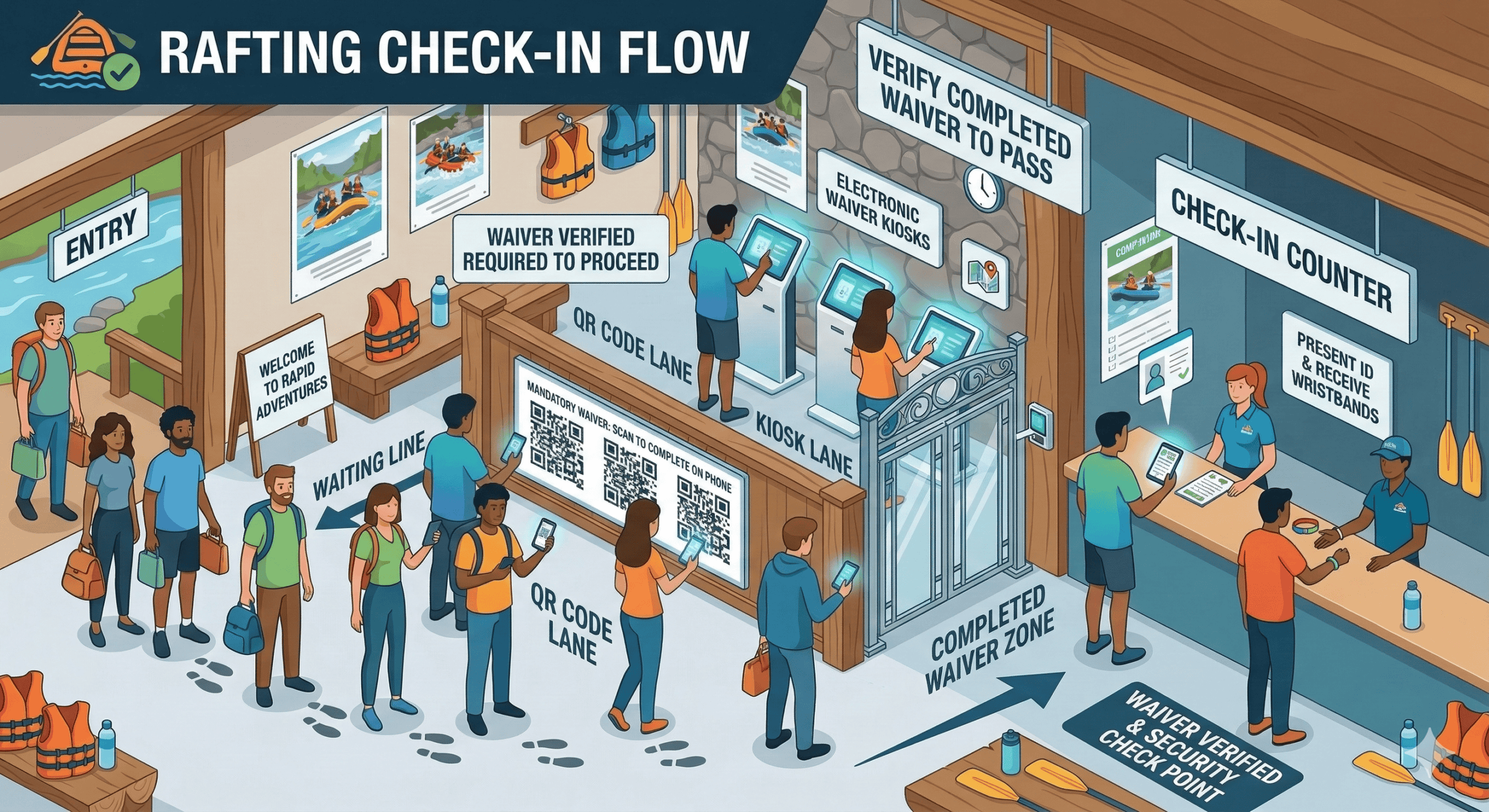
At the point of check-in, a small tabletop sign or printed card with the QR code lets customers begin signing the moment they walk in, before they ever reach the desk. Mounted near the entrance, it catches early arrivals. On a wall near a waiting area, it gives people something productive to do while they wait.
Beyond the physical location, QR codes work in digital placements too. Include the QR code image or the One-Link URL in your booking confirmation email, and a meaningful portion of your customers will sign before they arrive. That means by the time they show up, they are already in your system. Check-in becomes a confirmation, not a collection process.
Other placements that work well include the back of a business card or punch card, inside a text message sent after booking, on your website’s booking confirmation page, and on any printed materials that go home with participants after their first visit.
Using QR Codes for Pre-Arrival Signing
The best check-in experience is one where most of the work is already done. Pre-arrival signing makes that possible.
When you include your waiver link or QR code in your booking confirmation, customers have the opportunity to sign from home, from the car, or anywhere else before they arrive. They do not need to remember to bring anything. They do not need to set aside time at the desk. They scan, sign, and show up ready to go.
For businesses that take advance bookings, this is one of the easiest wins available. Set up an automated confirmation email that includes the One-Link URL and a line that says something like: save time at check-in by signing your waiver now. A significant portion of customers will do it. The ones who do not will sign on arrival, but the line is shorter because most people already came prepared.
For camps, tour operators, and any business where participants commit days or weeks in advance, pre-arrival signing is especially valuable. You can see exactly who has signed before the day begins and follow up with anyone who has not, rather than discovering the gap at the door.
QR Codes, Kiosks, and SMS: The Full Check-In Stack
QR codes handle the self-serve majority, but not every customer arrives with a smartphone in hand or comfort navigating a mobile browser. A complete contactless check-in setup accounts for all three scenarios.
The QR code is your primary channel. Post it at multiple points and include it in pre-arrival communications. Most customers will use it without any prompting.
A kiosk, which is a tablet running OtterSign in kiosk mode, covers walk-in customers who did not get the pre-arrival link or prefer a larger screen. It sits at the desk, stays open to the signing flow, and requires no staff involvement to operate.
SMS covers anyone who needs a direct push. If a customer walks in without a signed waiver and does not want to use the kiosk, staff can send them a text with the signing link in seconds. The customer signs on their own phone, and the waiver appears in the dashboard immediately.
Together, these three channels eliminate every version of the paper bottleneck. There is no scenario where someone cannot sign quickly, and there is no scenario where a signed waiver ends up in a pile on a desk instead of a searchable digital record.
Industries That Use QR Waiver Signing Most
QR code signing fits any business where customers arrive in groups, volume spikes at predictable times, or the check-in experience directly shapes how people feel about their visit.
Shooting ranges use QR codes posted at the entrance and embedded in range reservation confirmations, so members and first-time visitors alike arrive with waivers already signed. Trampoline parks post codes throughout the lobby and near the entrance to the jump floor, letting families sign while kids get their grip socks on. Summer camps include the One-Link in every registration confirmation so parents sign weeks before drop-off day.
Gyms and fitness studios use QR codes for drop-in class sign-ins. Outdoor rental companies post them at the equipment counter. Tour operators include them in booking emails so guides can focus on the experience rather than paperwork at the trailhead.
The common thread is volume and timing. Any business where multiple people need to sign around the same time benefits from a system that lets signing happen in parallel rather than one person at a time at a single desk.
Getting Your QR Code Live Today
Setup inside OtterSign takes about ten minutes. Build or upload your document, or start from one of OtterSign’s 30-plus pre-built industry templates, and your QR code is ready to download the moment the document is active. If you want the flexibility of One-Link, enable it in your account settings and use that code everywhere from day one.
From there, it is a matter of placement. Print a tabletop sign. Add the link to your confirmation email. Put a code on the door. The infrastructure is minimal. The impact on your check-in flow is immediate.
Start your free trial and get your QR code live today.
Prefer to see it in action first? Book a 15-minute demo and we will walk through the full contactless check-in setup for your specific business.