

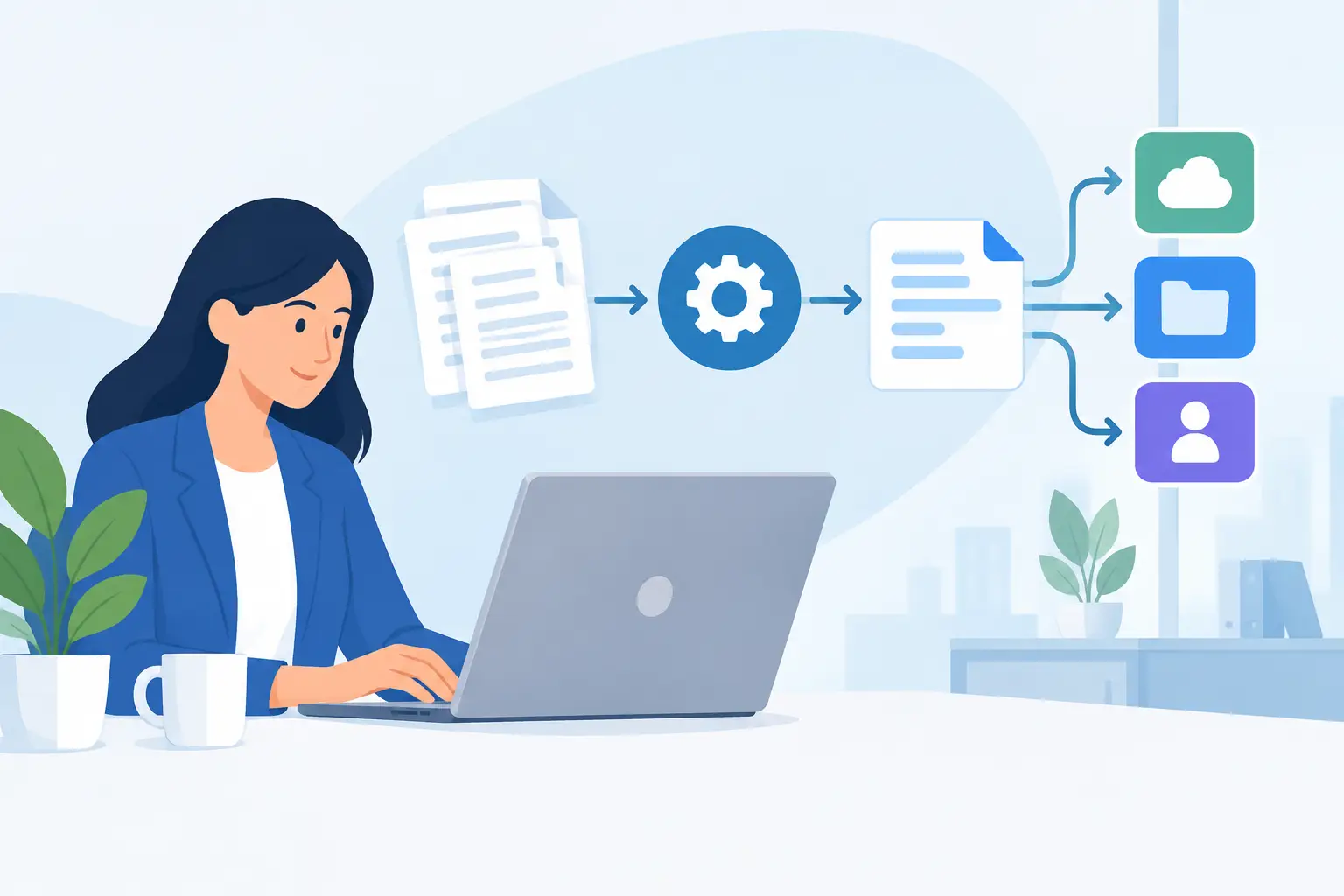
A customer is waiting at the front desk, an employee is searching for the right waiver version, and a signed paper form still needs to be filed. That is not just an admin problem. It slows check-ins, creates compliance gaps, and puts staff attention in the wrong place. What is digital document automation? It is the use of software to create, send, collect, sign, store, and act on business documents with far less manual work.
For a waiver-heavy or customer-facing business, the practical goal is straightforward: collect the right information once, turn it into the right document, capture a defensible signature, and make the record available when your team needs it. Done well, automation removes paper piles and disconnected handoffs without making the customer experience feel complicated.
What Is Digital Document Automation?
Digital document automation is a workflow that uses rules, templates, and connected data to manage documents from start to finish. Rather than asking staff to copy information from a form into a waiver, agreement, consent form, or contract, the system can populate approved templates automatically. Rather than emailing a PDF and waiting for a reply, it can send a mobile-friendly signing request by text or email, or present it at a kiosk during check-in.
The term covers more than electronic signatures. An eSignature is one step in the process. Document automation connects the steps before and after the signature too: intake, data validation, document generation, reminders, storage, notifications, reporting, and handoffs to other systems.
For example, a recreation business might have a guest complete a digital waiver through a QR code before arrival. The system captures the guest’s details, applies the correct waiver for that location and activity, records the signature, and marks the participant as cleared in the check-in workflow. Staff do not need to print, sort, scan, or manually confirm every form.
How Digital Document Automation Works
Most automated document workflows start with a form, a record in another system, or an event such as a booking. The platform uses that information to decide what should happen next. Those decisions are based on rules your business defines, such as location, service type, participant age, expiration date, or whether a parent or guardian must sign.
A typical workflow has five connected parts:
- Data collection: Customers, employees, or partners submit information through a web form, check-in kiosk, emailed request, SMS link, or QR code.
- Document creation: The system inserts that data into a controlled template. Names, dates, locations, emergency contacts, terms, and other fields do not have to be retyped.
- Review and signature: Required parties receive the document in the appropriate format and sign electronically. The process can include required fields, disclosures, and audit details.
- Storage and retrieval: Completed documents are stored in a searchable record, tied to the person, transaction, event, or location.
- Follow-up actions: The workflow can notify staff, update a CRM or booking system, trigger reminders, generate a copy for the signer, or flag an incomplete requirement.
The value comes from the connections between those steps. A digital PDF stored in a shared folder may reduce printing, but it does not automatically resolve version control, missing signatures, incomplete fields, or follow-up work.
Rules Turn Templates Into Operational Workflows
Templates keep language consistent. Rules make them useful in day-to-day operations.
A fitness studio may need one waiver for adult members, another for minors, and an updated release after a specific policy change. An event organizer may need different consent forms for vendors, volunteers, and attendees. A multi-location operator may need location-specific branding, terms, or routing. Automation applies the correct document based on the data already collected, instead of relying on staff to remember every exception.
This does not mean every process should be fully hands-off. High-value contracts, unusual incidents, or documents with negotiated terms may require a manager or legal reviewer. The right setup automates repeatable work while giving your team a clear exception path for cases that need judgment.
Where Document Automation Delivers the Most Value
The strongest use cases are high-volume, repeatable processes where missing information or slow turnaround creates real operational friction. Customer waivers and releases are obvious examples, but the same model supports intake packets, employee acknowledgments, enrollment forms, service agreements, incident reports, and vendor paperwork.
For front-desk teams, the immediate benefit is faster check-in. Guests can complete forms on their own phone before they arrive, scan a QR code at the counter, or use a kiosk when they walk in. Staff can focus on welcoming customers and resolving actual issues instead of handing out clipboards.
For managers, the benefit is consistency and visibility. You can use current document versions across locations, see which forms are incomplete, and retrieve a signed record without opening filing cabinets or searching through email threads. When terms change, updating the template and rules is more reliable than asking every site to replace a stack of paper forms.
For compliance-minded teams, automation creates a clearer record of what was presented, completed, and signed. The details that matter will vary by document type and business requirements, but a properly configured workflow can preserve timestamps, signer data, form versions, and an audit trail. It supports stronger recordkeeping, though it does not replace the need for sound policies or legal guidance.
Digital Document Automation vs. Basic eSignature Tools
Basic eSignature software is useful when you occasionally need to send a document for signature. It usually lets you upload a PDF, place signature fields, and email it to a recipient. For many simple agreements, that is enough.
Digital document automation is better suited to recurring operational processes. It starts with structured intake, builds or selects documents from data, applies conditional rules, and triggers actions after completion. Instead of treating each request as a separate email task, it treats the document as part of a repeatable business workflow.
The difference matters when volume rises. Sending ten agreements a month may work fine with a basic eSignature tool. Processing hundreds of daily waivers, registrations, consent forms, or check-ins across several locations calls for more control. The system needs to help staff identify who is cleared, who is missing a document, and what should happen next.
What to Look for in a Document Automation Platform
Start with the actual workflow, not a feature checklist. Map the moment a customer or employee first provides information through the point when your staff can take action. Identify every manual handoff, duplicate entry point, missing-data problem, and version-control risk. That shows where automation will produce the biggest return.
Then evaluate whether a platform can support the channels your audience actually uses. For in-person businesses, mobile forms, QR codes, kiosk signing, and text-message delivery can be more valuable than a polished email-only experience. If teams need to verify identity at check-in, driver’s license scanning may be relevant. If repeat guests need quick access to proof of completion, a wallet pass can reduce friction.
Integration capability is equally important. A disconnected document tool can still create more work if staff must manually update the CRM, booking platform, point-of-sale system, or marketing database after each submission. Look for integrations and automation options that pass the right data to the right system while maintaining a reliable source of truth.
Security, permissions, and retention also deserve attention. Consider who can edit templates, view completed documents, export records, or access data across locations. Ask how long records must be retained, how they can be searched, and what happens when policies change. The best answer depends on your industry, legal obligations, and internal controls.
A Practical Starting Point
Do not try to automate every document on day one. Begin with one process that is frequent, standardized, and visibly painful – such as a paper waiver, new-client intake form, or employee policy acknowledgment. Establish the approved template, decide what information is required, and define the exact action that should happen after completion.
Measure the change in terms your team can see: check-in time, incomplete forms, staff hours spent filing, turnaround time, and the number of customers who complete requirements before arrival. These operational measures make it easier to improve the workflow and build support for the next use case.
A platform such as OtterSign can bring forms, document generation, eSignatures, check-ins, and follow-up automation into one system, which is especially useful when your process begins in person and must end with a dependable record. The point is not to add another dashboard. It is to reduce the number of steps your staff has to manage.
The best next move is simple: take one document your team touches every day and follow its path from blank form to filed record. Every unnecessary handoff is an opportunity to make the experience faster for customers and easier to control for your business.


